Device compliance for contractor access to Microsoft 365 and Windows 365 — no MDM required

The Missing Piece in Your Microsoft 365 Contractor Migration

Verify unmanaged contractor and third-party devices before they access your Microsoft 365 environment.

No MDM. No Intune enrollment. No VDI. Starts at $3/user/month.

Ensure works with your existing Microsoft 365, Entra ID, and Conditional Access policies.

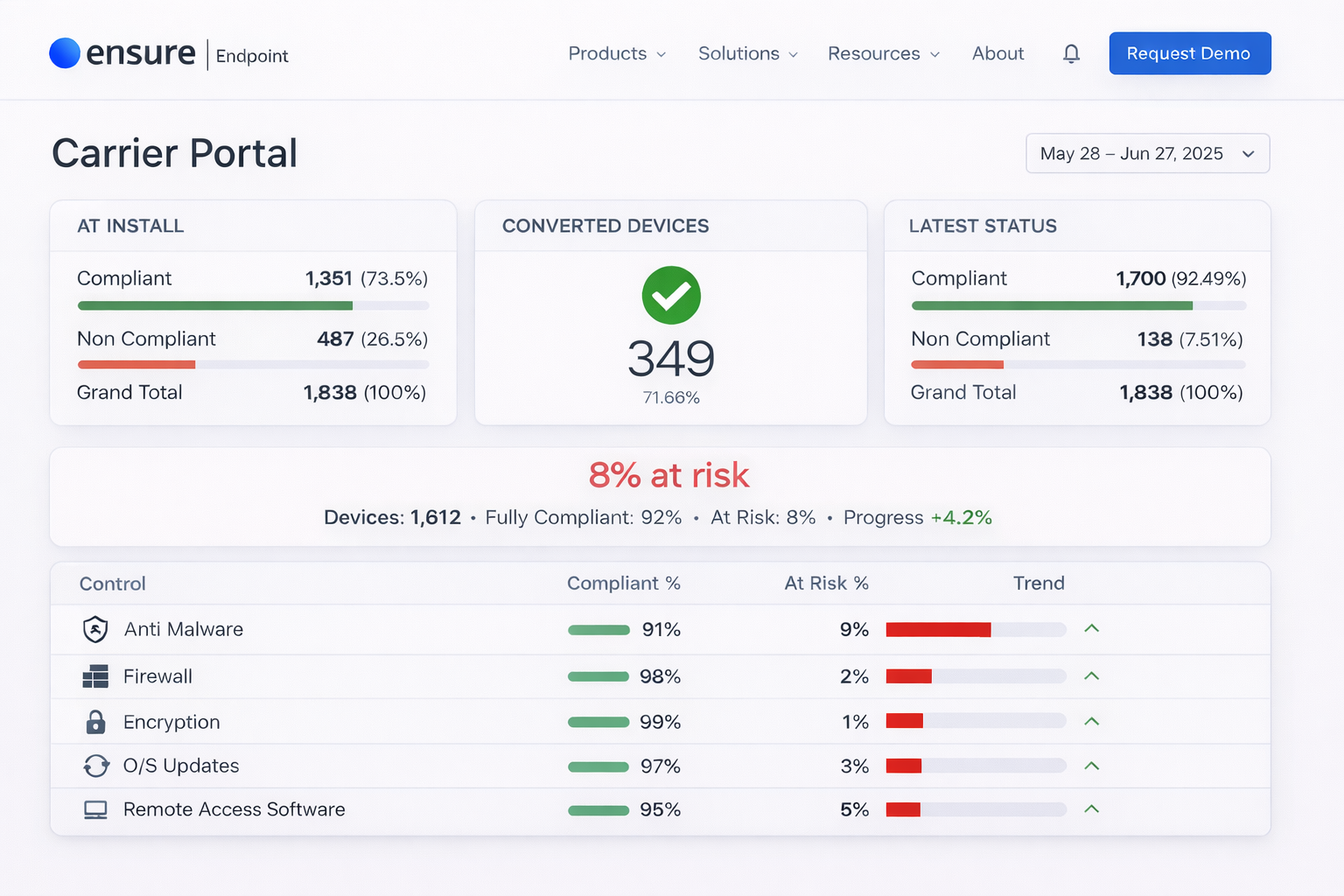
1.4M+ devices verified across regulated enterprises

Ensure Endpoint Carrier Portal dashboard showing device compliance metrics

Trusted by

Accenture
Deloitte
Gallagher Bassett
Crawford & Company
TransRe
Genpact
McKinsey & Company
Entra Conditional Access Integrated
ISO 9001
U.S. Patented
Works with Mac & Windows
Enterprise-ready audit evidence

What Ensure makes possible

One lightweight agent to verify contractor devices, enforce posture, and log audit evidence for Microsoft 365 access.

89%

lower contractor access cost

Verify contractor devices before Microsoft 365 access

Ensure checks device posture on unmanaged contractor endpoints and sends the result to your access policies, so Microsoft 365 stays protected without keeping VDI in place.

1‑Click

audit export

Enforce device posture at the point of access

Every access check creates a timestamped compliance record with the device, checks performed, result, and remediation status — ready to export when security, audit, or compliance asks.

< 5 min

average setup time

Onboard contractors fast without help desk overhead

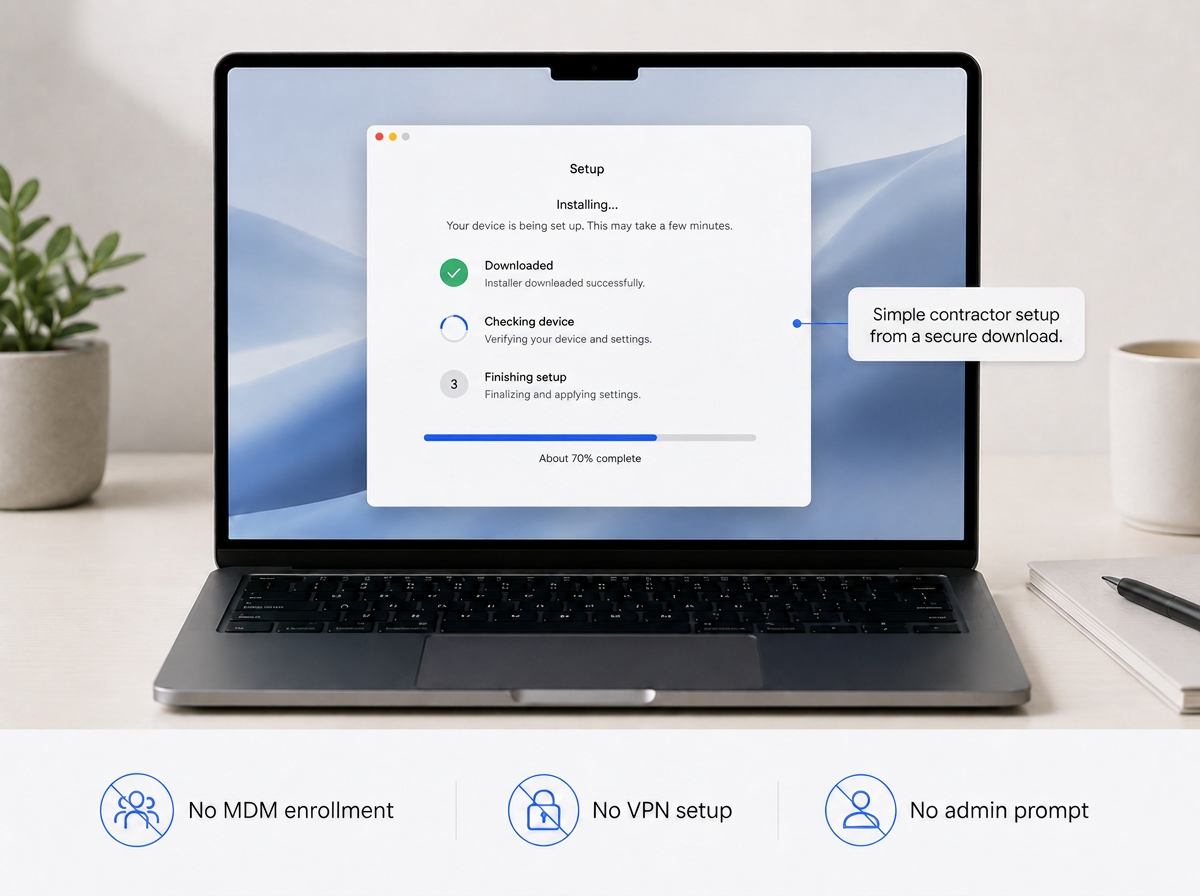
Contractors receive a link, install the lightweight agent in minutes, and can get verified for Microsoft 365 access the same day. Most remediate issues themselves without opening a support ticket.

Your situation

Which problem are you solving?

Migration Owner

I'm trying to get contractors off VDI

Contractors are still stuck on VDI because their devices are unmanaged. See how to move them into Microsoft 365 and Windows 365 without lowering security.

CISO / Security Architect

I need proof contractor devices meet policy

Your team needs evidence that unmanaged devices meet security requirements at the moment of access. See what Ensure verifies, logs, and exports.

In production

How a regulated enterprise moved 2,000+ contractors off VDI and into Microsoft 365

Including partners from Accenture, Deloitte, and other global service providers.

89%
lower cost per contractor
99%
faster onboarding
Read the full case study

Three steps

How Ensure verifies devices before Microsoft 365 access

Contractors attempt access, device posture is checked, and compliance evidence is logged automatically.

1

Contractor attempts to access Microsoft 365

Ensure checks the device and sends the result to your access policy before access is granted. No extra login flow. No corporate enrollment required.

portal.company.com/login
Sign In
Ensure active
2

Device posture is verified in seconds

Ensure verifies key security controls such as encryption, antivirus, firewall, OS version, and screen lock. If something is missing, the contractor gets guided steps to fix it.

Posture Check
Pass
Encryption
Firewall
OS Version
3

Compliance evidence is logged automatically

Each access check creates a time-stamped record with the user, device, checks performed, result, and remediation status — ready to export when audit or security asks.

audit-log
14:32:07s.chenPASS
14:31:45j.martinezPASS

Why not just...

Every alternative breaks somewhere. Here is where they fail for contractor access.

Ensure works with Microsoft 365 by adding device verification for unmanaged users — without the cost and complexity of VDI or full MDM enrollment.

Keep VDI for contractors

Defeats the migration. You keep paying for VDI after rolling out Microsoft 365.

Web-only access restrictions

Creates a degraded experience, breaks common workflows, and pushes contractors into workarounds.

Issue managed devices

Too expensive and too slow for large, rotating contractor populations.

Enterprise browser (Island, Talon)

Higher cost, browser change required, and more product than most teams need for basic device posture.

Accept the risk

Security will not sign off, and audit will not accept the gap.

Ensure Endpoint

$3/user/month. No MDM enrollment. Entra Conditional Access integration. Audit evidence. Live in days.

Ready to see it live?

See the contractor login, device check, and audit record live

Watch the full flow in 15 minutes: unmanaged device, posture check, access decision, guided remediation, and compliance record — without a slide deck.

Not ready to talk yet? Start here.

For IT & Security

VDI Migration Architecture Guide

How to verify contractor devices for Microsoft 365 access and retire VDI. Includes Entra Conditional Access architecture, deployment timeline, and compliance mapping.

For Operations & Finance

ROI Calculator

Enter your contractor count and current VDI cost to see annual savings, cost per user, and payback period.