
Connect to Your Work Account
Please follow these steps for a successful connection
1
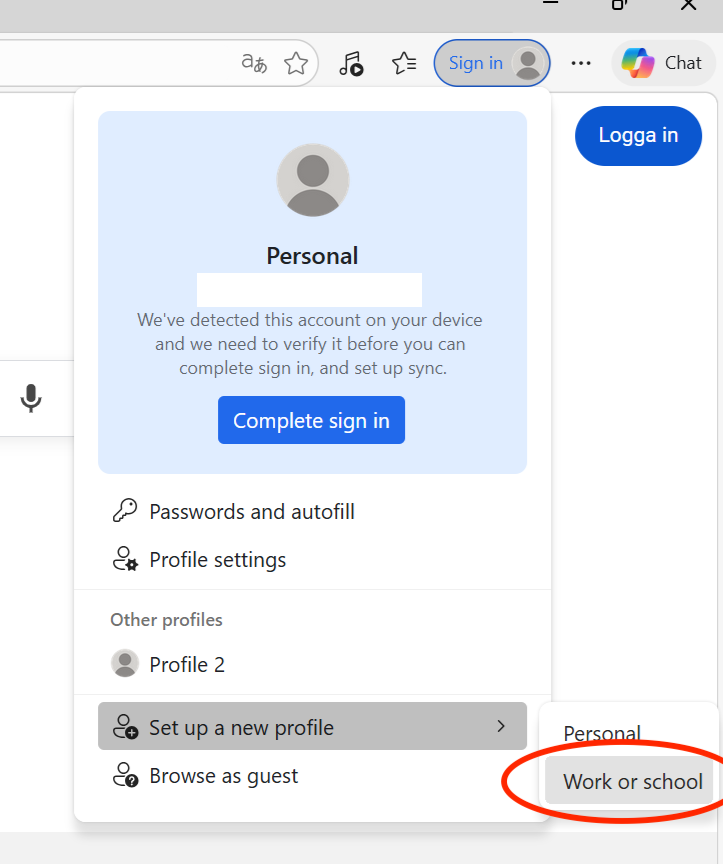
In the upper right corner of your browser, where it says "Sign in", navigate to "Set up new profile → Work or school".
2
A new browser window will open.
3
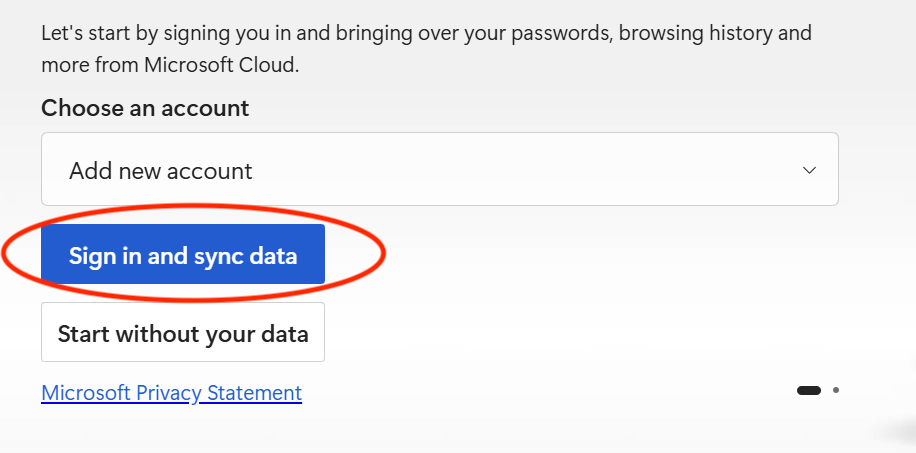
Click on the "Sign in and sync data" button and sign in to your work account.
4
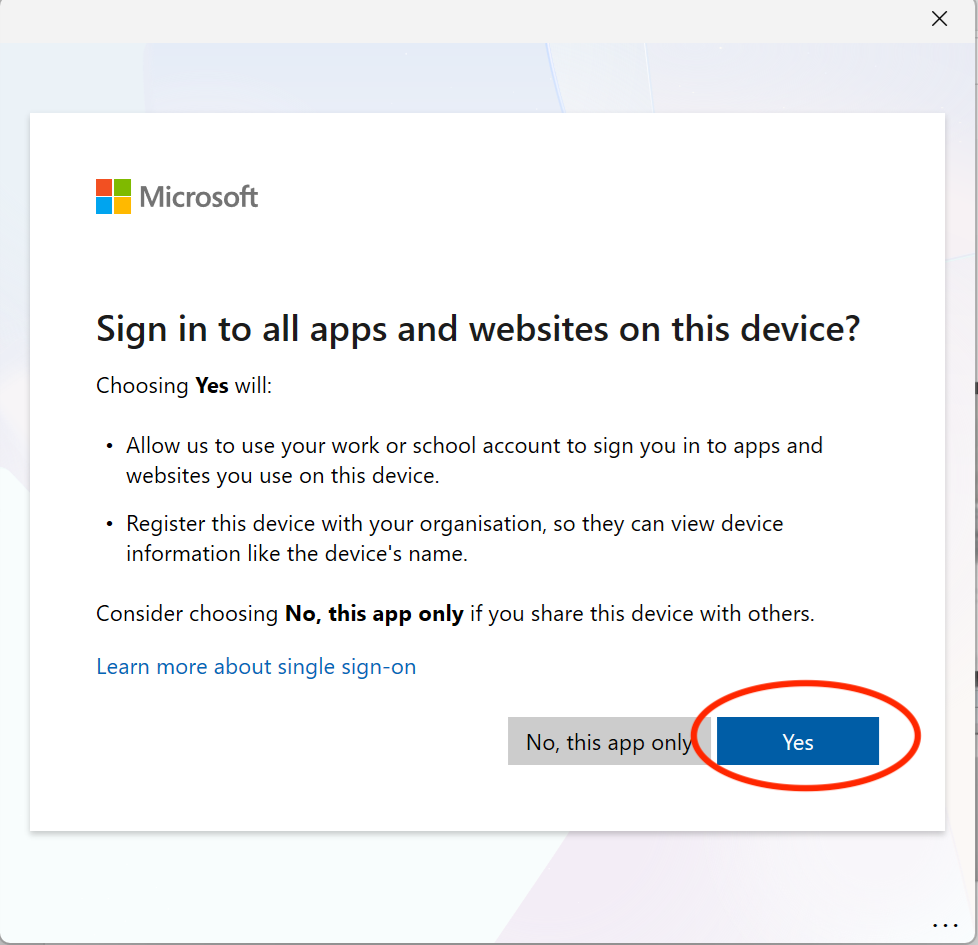
If you get the dialog "Sign in to all apps and websites on this device?" click Yes.
This will register the device in the Entra tenant.
5
Go in to the Ensure app and click "Recheck".
6
You can now access your Windows 365 through the "Work" profile, provided your compliance status aligns with the Ensure App.